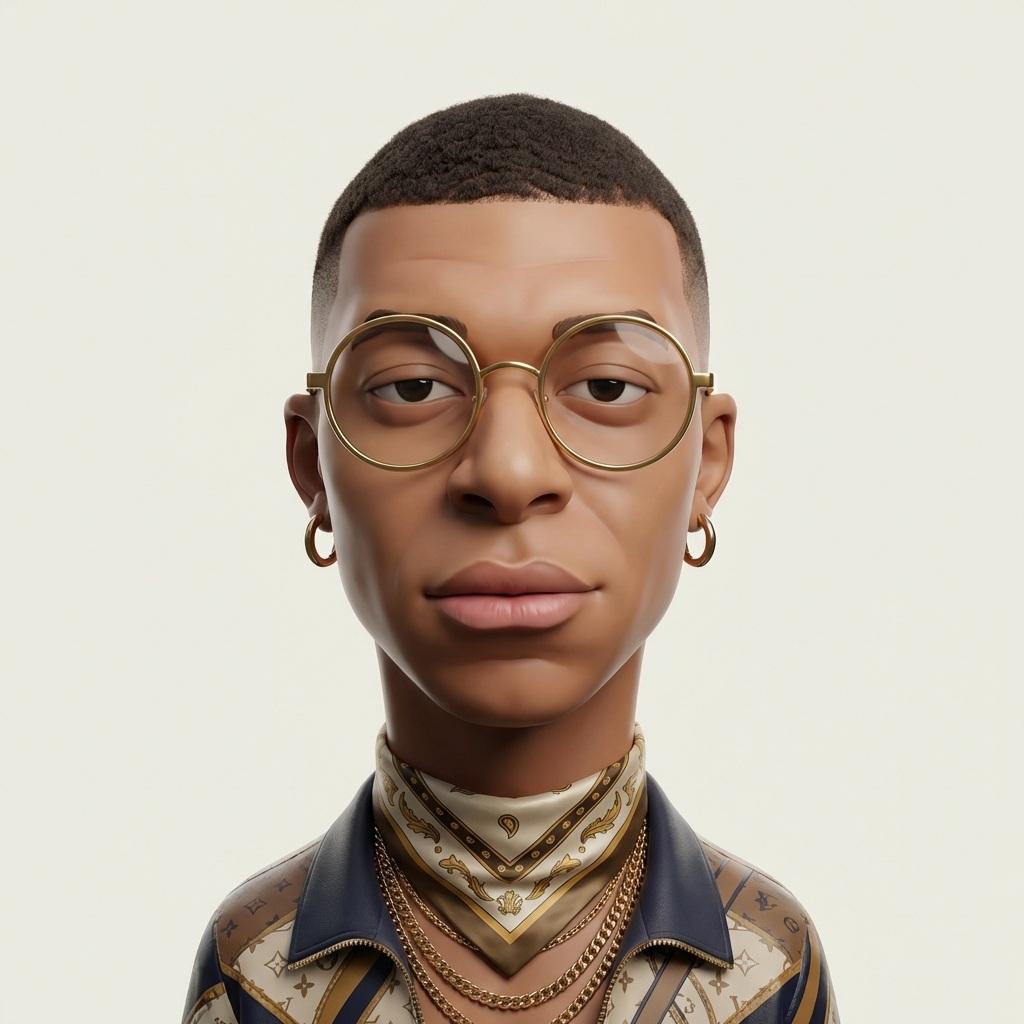
Exaggerated 3D Caricature Character Portrait AI Prompt
At first glance, the visual impact comes from the high contrast between the subject and the atmospheric background. Specifically built for Funny, this composition delivers sharp focus, realistic apparel draping, and a natural photographic feel.
What You'll Create
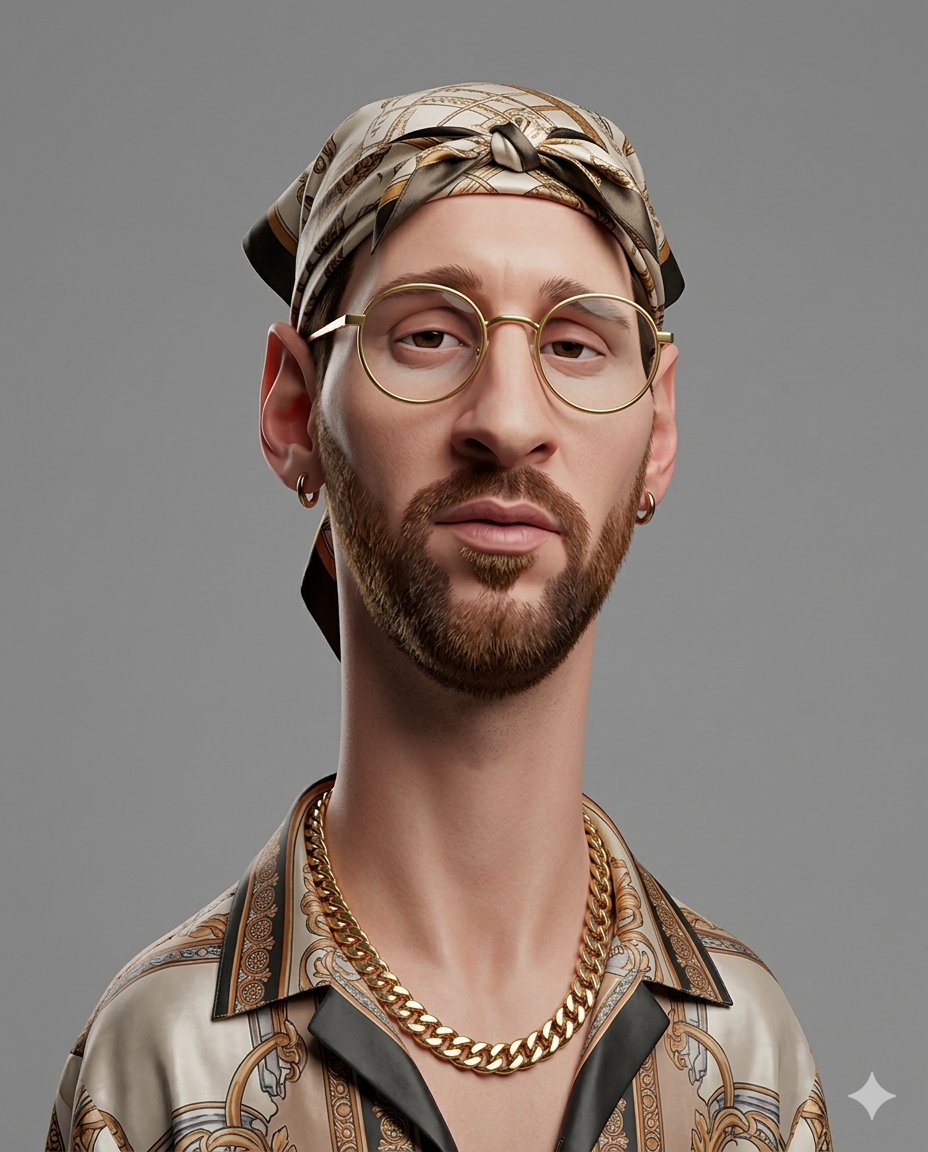
A high-impact 9:16 portrait composition featuring Exaggerated 3D Caricature Character Portrait with rich textures, athletic presence, and striking visual atmosphere.
Main AI Prompt Text
1214 charactersCreate an exaggerated stylized 3D caricature character portrait with strong intentional deformation and a clean, controlled surface finish. Use the person from the ATTACHED REFERENCE PHOTO. Preserve the subject’s identity, facial likeness, skin tone, and defining features, but reinterpret them into a bold caricatured 3D form with an elongated neck, oversized head-to-neck ratio, droopy eyelids, heavy lips, and slightly asymmetrical facial structure.Render as a human-like 3D character with smooth, studio-clean skin and intentionally designed detail, avoiding random texture or noise. Style with bold accessories such as round or oval glasses, hoop earrings, gold chains, headscarves or bandanas, and street-luxury clothing. Use neutral studio lighting with soft shadows and even illumination, no dramatic contrast, against a plain neutral grey or off-white background. The overall aesthetic should feel weird, fashion-forward, collectible, and character-driven rather than cute or realistic. Ultra high definition, premium cinematic 3D render quality, hyper-realistic hyper realism, clean materials, no freckles, no dirt, no grain, no noise, no speckling, no text, no logos, no watermarks. Aspect ratio 4:5.
Negative Prompt (Suppression Directive)
Eliminates distorted faces, blurry limbs, text artifacts, and plastic skin.
low quality, blurry, pixelated, noisy, distorted, deformed, bad anatomy, bad proportions, bad hands, extra fingers, missing fingers, extra limbs, duplicate person, malformed face, asymmetrical eyes, unrealistic eyes, plastic skin, watermark, logo, text, signature, cropped, cut off, blurry background, artifacts, oversaturated, underexposed, overexposed
How to Use This Prompt
Copy the AI Prompt Blueprint
Click the "Copy Prompt" button below to copy the full prompt text directly to your clipboard.
Open Your AI Image Generator
Paste into Midjourney (Discord or Web), Flux.1, Stable Diffusion XL (Automatic1111 / ComfyUI), or Bing Image Creator / DALL-E 3.
Configure 9:16 Aspect Ratio
Set the output aspect ratio to 9:16 (for Midjourney add `--ar 9:16` at the end of the prompt; for SDXL use 832×1472 or 896×1536).
Add the Negative Prompt
Paste the provided negative prompt into the negative prompt input to eliminate anatomical deformities, bad hands, and blur.
Render & Upscale
Generate 4 variations, pick your favorite render, and upscale to 4K or 8K resolution for ultra-crisp mobile display.
Recommended Generation Settings
Tips for Better Results
Preserve Subject Consistency
If you are applying this prompt to a specific person or athlete, upload a clean front-facing reference photo and keep the face descriptor intact.
Fine-Tune Team Kit Colors
Ensure the jersey colors match authentic Funny livery by explicitly reinforcing color names (e.g., deep royal blue, scarlet red, emerald green).
Control Camera Height
For an imposing, heroic posture, add "low angle shot looking up at subject, wide 24mm lens" to heighten visual drama.
Enhance Surface Textures
Retain keywords like "fabric folds", "subtle sweat droplets", "dramatic rim lighting", and "8k texture resolution" for maximum photorealism.
Creative Variations of This Prompt
Stadium Matchday Floodlights Edition
Append to prompt: "...under intense night floodlights at a roaring stadium arena, light rain mist caught in the beam of stadium lights, cheering crowd blurred in background, dramatic anamorphic lens flare."
Retro Vintage 90s Football Edition
Replace jersey text with: "...wearing an oversized retro 1990s vintage team football jersey with classic collar, nostalgic 35mm film grain, muted warm analog color grade, flash photography aesthetic."
Neon Cyberpunk Streetwear Edition
Modify backdrop to: "...standing in a rain-slicked neon alleyway, glowing holographic team crest projected in the air, cyberpunk cyberpunk streetwear accessories, vivid cyan and magenta reflections."
Frequently Asked Questions
Which AI model works best for the "Exaggerated 3D Caricature Character Portrait" prompt? ▾
This prompt has been tested and optimized for Midjourney v6.1 and Flux.1, which excel at rendering realistic fabric textures, facial features, and cinematic lighting. It is also compatible with Stable Diffusion XL (SDXL) and DALL-E 3.
Can I change the football player or team in this prompt? ▾
Yes! You can freely swap "Funny" or any club/player references with your favorite team (such as Real Madrid, Barcelona, Arsenal, or Manchester United) and the AI will adapt the jersey colors and styling accordingly.
How do I ensure the output is a vertical 9:16 wallpaper? ▾
In Midjourney, add the parameter "--ar 9:16" to the end of the prompt. In Stable Diffusion or ComfyUI, set your resolution dimensions to 832×1472 or 1080×1920.
Are these prompts free to use for personal and commercial projects? ▾
Yes! All prompts on Free AI Prompty are free to copy, modify, and use for wallpapers, personal social media graphics, posters, and creative projects.
Related Funny Prompts
Discover more 9:16 portrait AI blueprints in this style.